Sorry to see you go. Follow the steps below for your device. The next click in each step is highlighted in red.
About your subscription: If you have an active paid subscription, it will be cancelled automatically when your account is deleted, with no further charges. If you were charged in the last 14 days, you can ask for a full refund at support@goldtrack.io before you delete your account.
Warning: Account deletion is permanent. Your portfolio, alerts, and history will be removed and cannot be recovered.
Mobile Browser
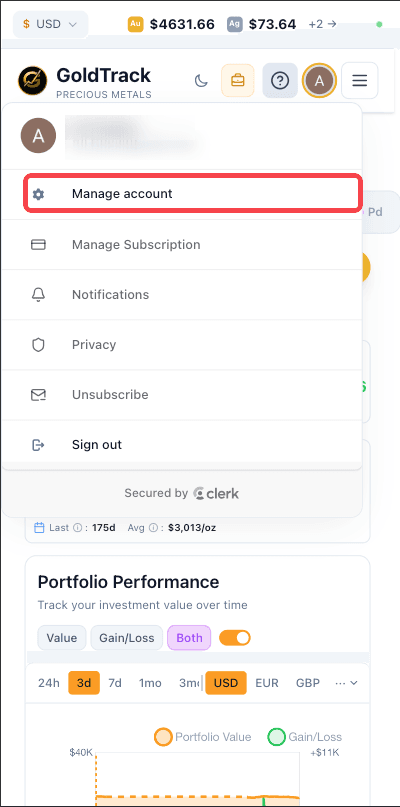
Step 1 — Open Manage account
Tap the menu (☰) in the top right and tap your avatar. Then tap Manage account.
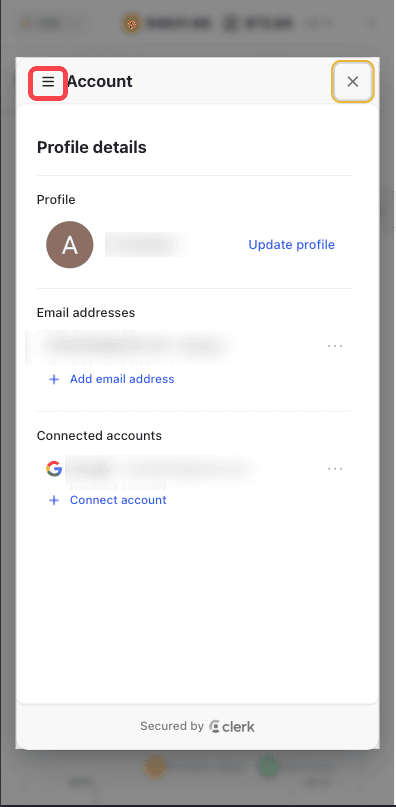
Step 2 — Open the sub-navigation
The Account panel opens on the Profile tab. Tap the menu (☰) icon in the top left to reveal sub-navigation.
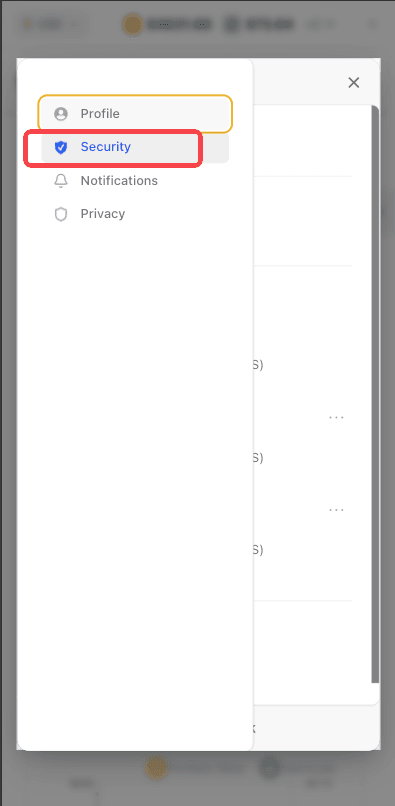
Step 3 — Tap Security
Tap Security in the sub-navigation drawer.
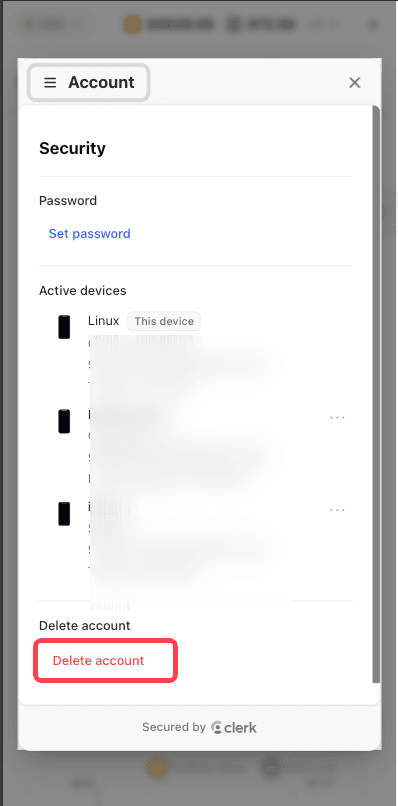
Step 4 — Tap Delete account
Scroll to the bottom of the Security tab and tap the red Delete account link. Confirm when prompted.
Desktop Browser
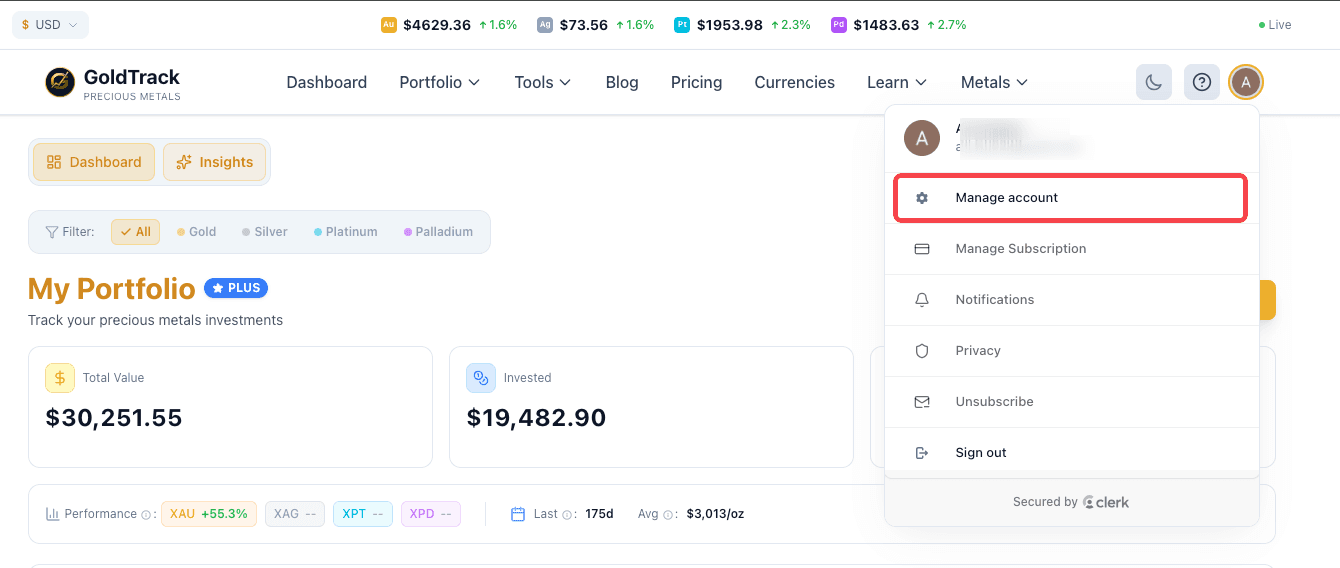
Step 1 — Open Manage account
Click your avatar in the top right of the navigation bar, then click Manage account.
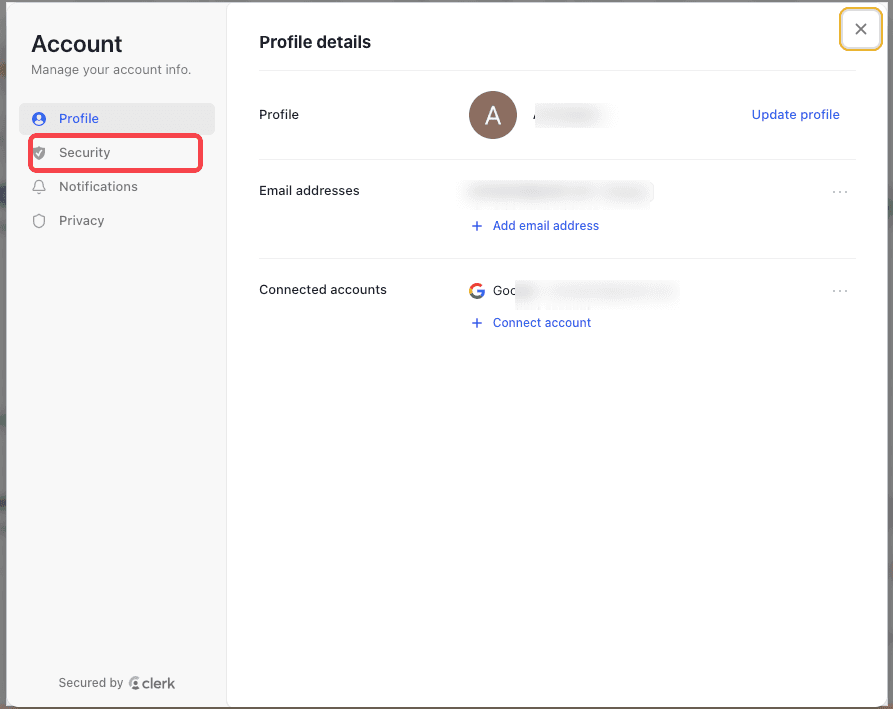
Step 2 — Open the Security tab
The Account dialog opens on the Profile tab. In the left sidebar, click Security.
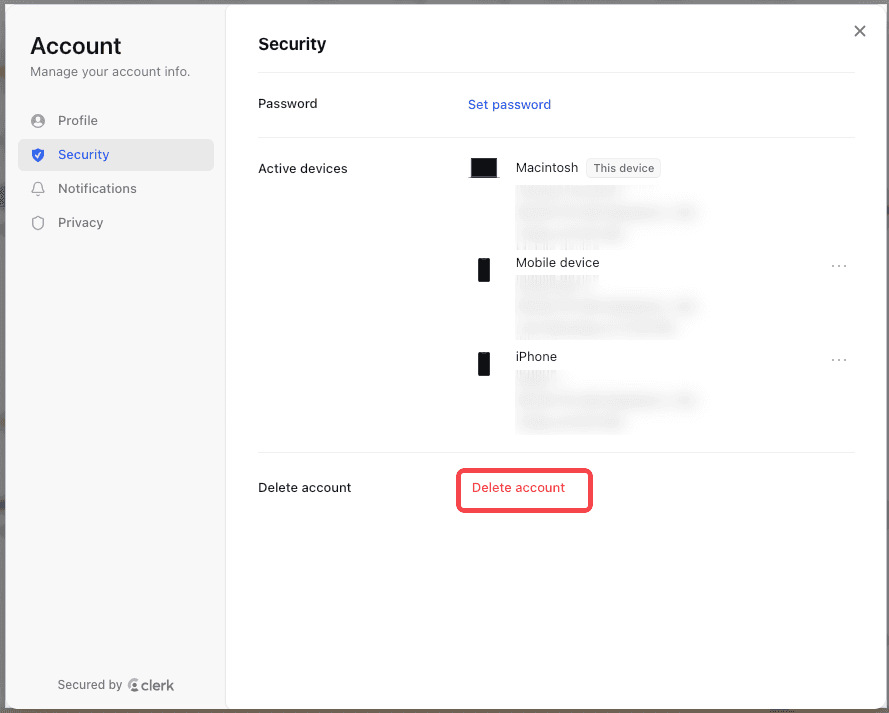
Step 3 — Click Delete account
Scroll to the bottom of the Security tab and click the red Delete account link. Confirm when prompted.
What Happens Next
- Your account is deactivated and you are signed out of all active sessions and devices immediately. Any active paid subscription is cancelled.
- Your portfolio holdings, price alerts, connected accounts, and other personal data are permanently deleted within 30 days.
- Encrypted database backups are purged within 90 days. Billing records are retained in anonymized form for 6 years for tax and legal compliance.
- You can sign up again later with the same email — but prior data will not be restored.
For the full data retention and timeline policy, see our Account Deletion policy and Privacy Policy.
Need help instead of deleting your account?
Contact Support